SVG files are dangerous because user can embed scripts into SVG images that can be used to steal access tokens from other users.
Therefore a new feature has been added to analyze SVG images when they are uploaded to block malicious SVG files.
SVG files are dangerous because user can embed scripts into SVG images that can be used to steal access tokens from other users.
Therefore a new feature has been added to analyze SVG images when they are uploaded to block malicious SVG files.
Today a new version has been deployed which integrates azure image recognition. It is used to tag images with categories such as category/person or color/blue and also adds a description of the image.
Today, the asset editor got a few improvements:
You can directly preview and watch web-ready videos now.
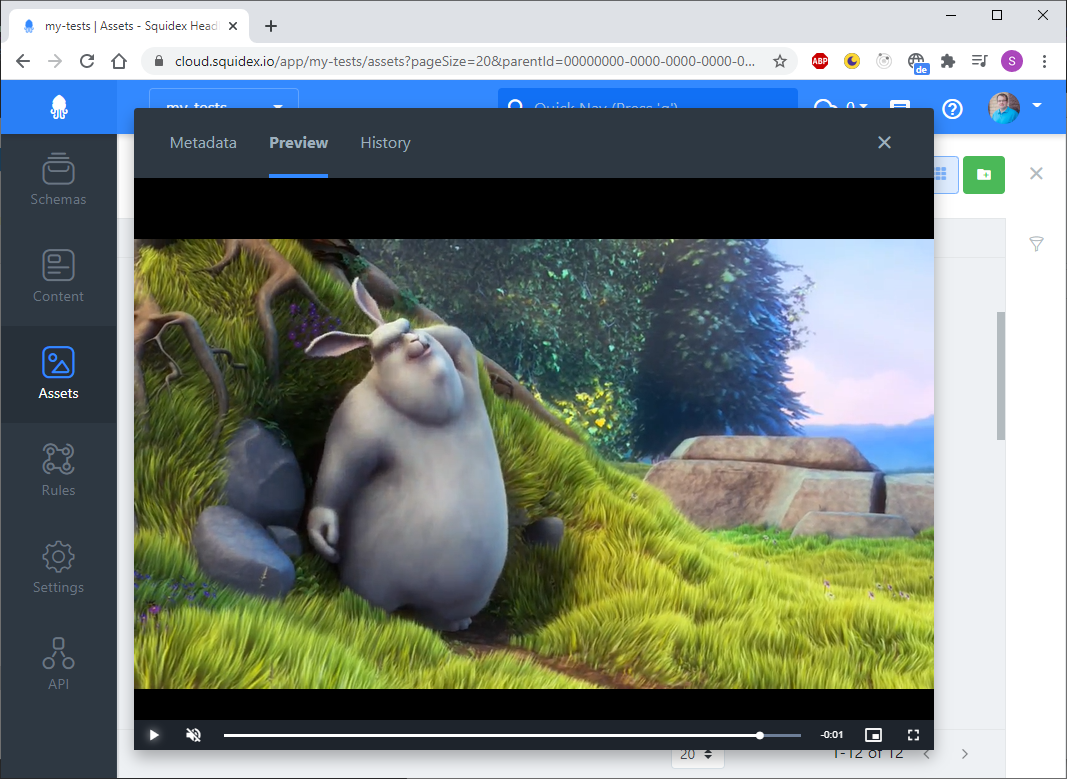 Web Video Preview
Furthermore Google Docs has been integrated to preview documents like PDF files, text documents and excel sheets. Google Docs needs access to your server, so it might not work if you are self hosting Squidex in a private network.
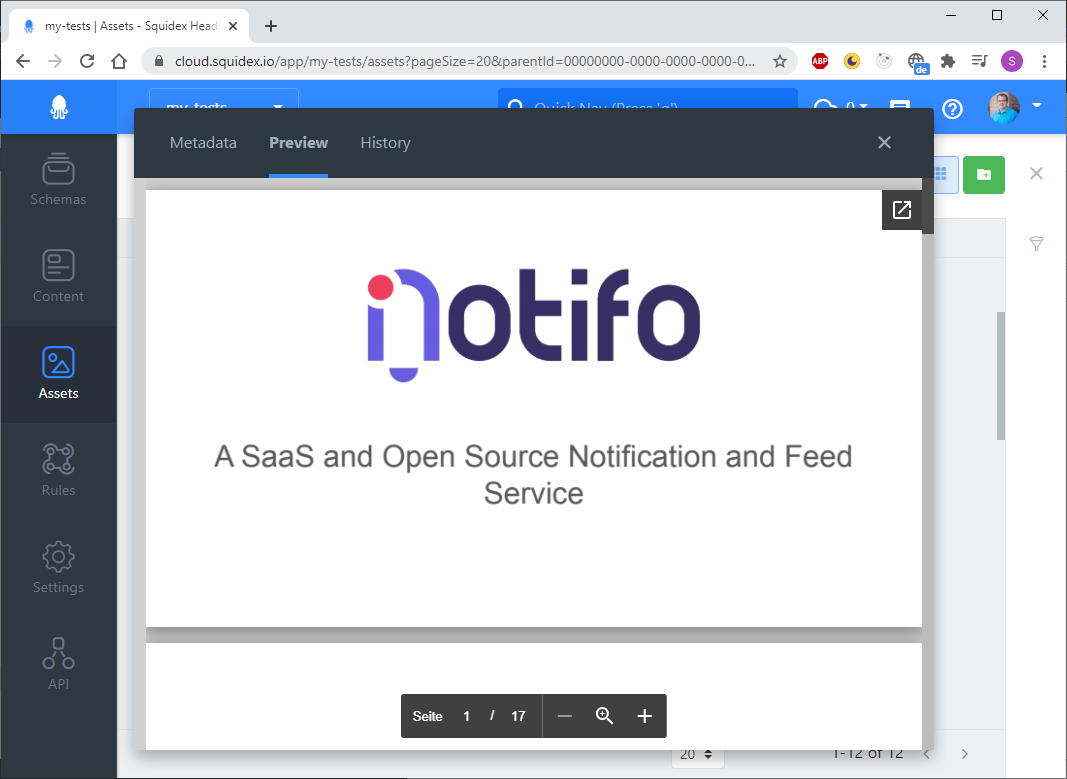 Document Preview
All files with less than 50kB that are not videos or images are considered text files and you can edit them directly in Squidex as well.
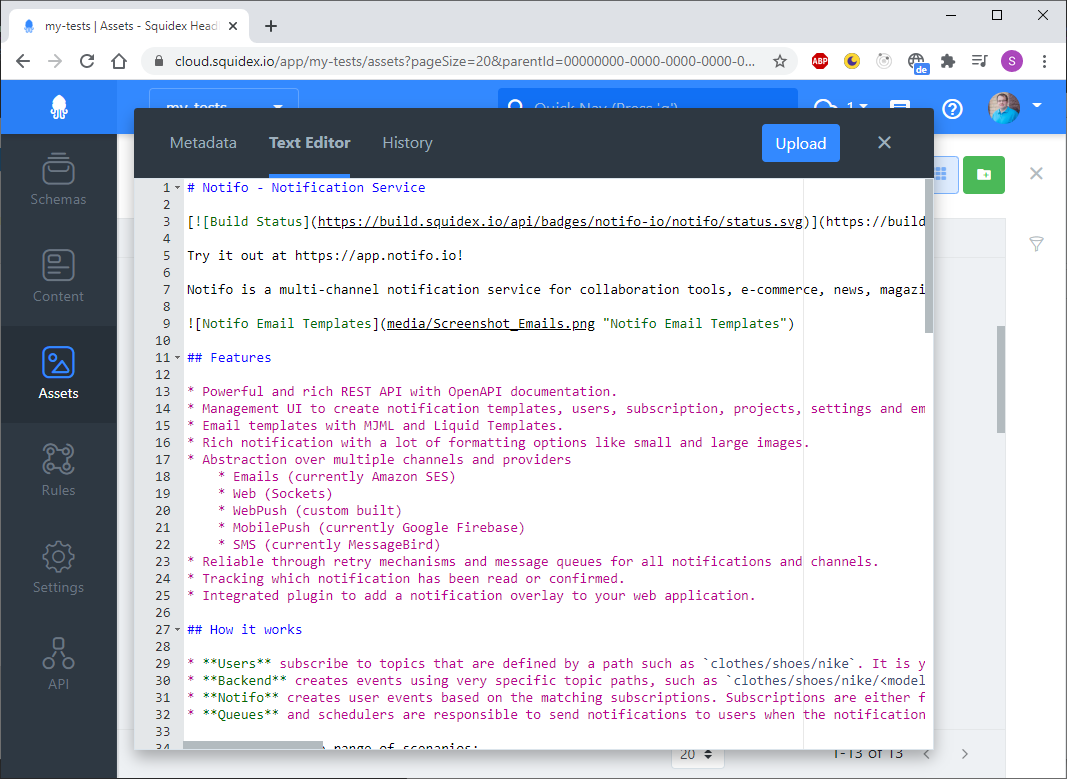 Text Editor
The Bulk API can now be used to update multiple content items. You just have to define a query and set the expectedCount to to the number you expect to be updated. If the query matches more contents and exception is thrown.
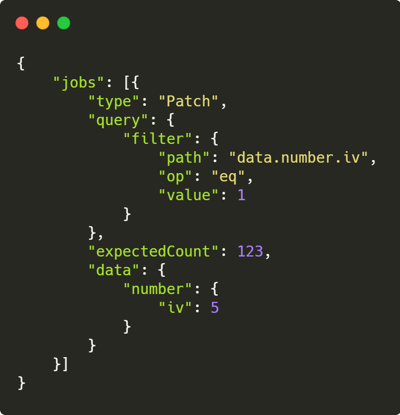 Bulk Update by Query
In contrast to a database update it is not a single call to the database, because of the architecture many operations like validation have to be executed.
When you have a lot of fields it might be more handy to have a compact view. Therefore half-width fields have been introduced. Go to the schema settings and mark the fields that should only take half the width and you will get a more compact view when creating or updating content items. When there is not enough space the normal layout with one field per row will be used.
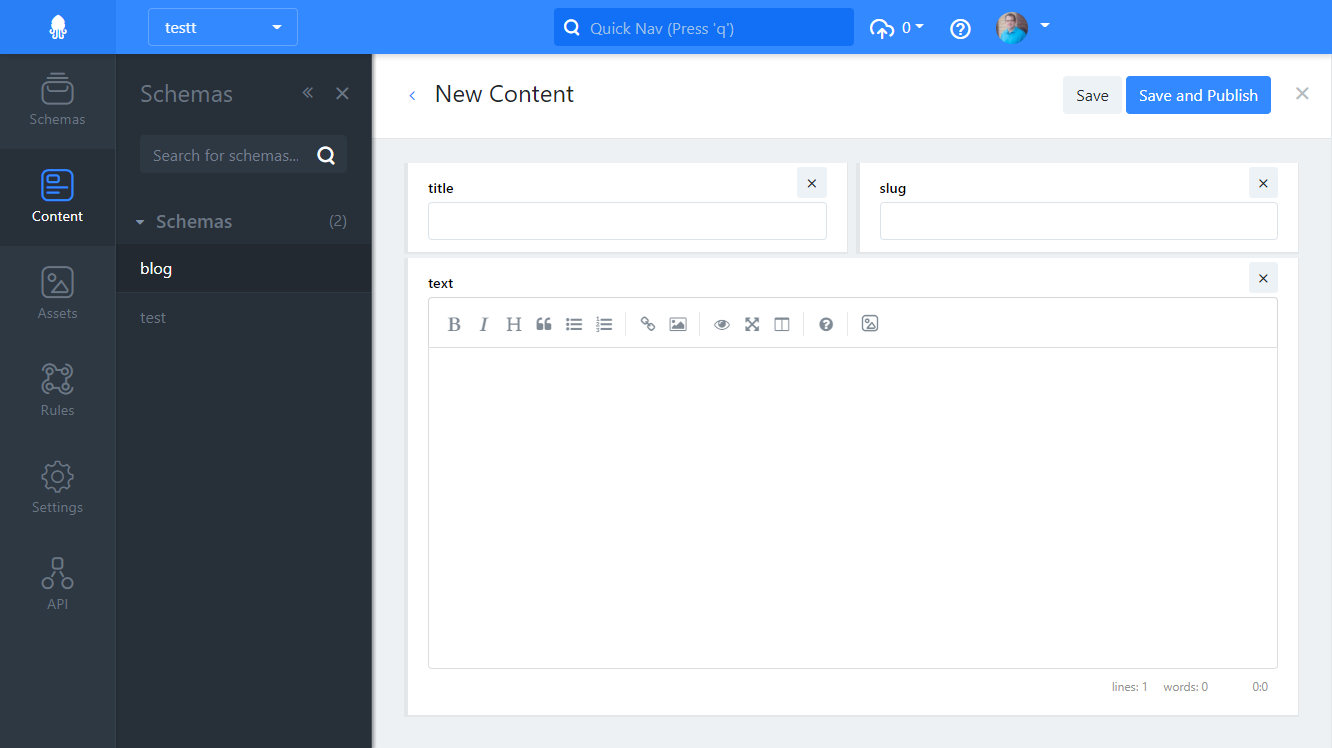 Half Width Fields
In Squidex you have the option to listen to content changes in custom scripts. Until today a script that was executed when the status of a content item was changed, was not able to change the data. We made this possible now. A use case is a date-time field that is set to the current date, whenever the content item is published.
Today we have released a small improvement to the rule system. You can create rules now to create new contents automatically. For example you can create a new content item whenever an asset is published.
With the todays update you will get a confirmation dialog whenever you delete a content item or asset that is referenced by another content. You have to confirm the deletion again, but we have introduced a checkbox to remember your decision if you not want to use this feature.
Today Sidebar Plugins have been deployed to the cloud. It is a UI feature to extend the Management UI with a custom panel. For example you can build a custom search using Algolia to provide a tailored solutions for your editors. This is helpful when you need full control about your search experience.
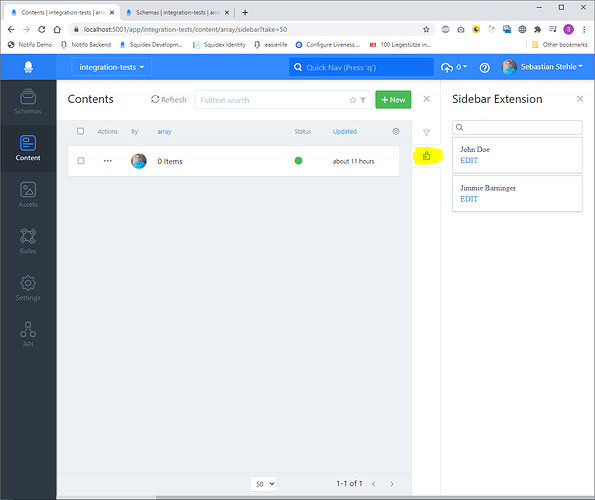 Custom Search with Sidebar Plugins
Read the Documentation to learn how to write a custom plugin.
GraphQL mutations have been brought back. Unfortunately we had to remove them a while ago, because the implementation had a critical bug and it was not possible to solve this bug with the GraphQL library we use. A few days ago a new version of this library has been released and it was possible to fix the bug. Squidex has mutations to create, update, change and delete content items. These are the most important functions when dealing with content. It is not planned to release management mutations with GraphQL as we already have the REST interface for that.
This was a feature that was requested in one way or another by many people. The idea is to have field rules that update the content form based on the value of other fields.
In our example we have a schema that can be used for news and articles. The type of the content is defined with a field and represented as a radio button. Furthermore we have a text field and slug field for the URL, which is only needed for articles.
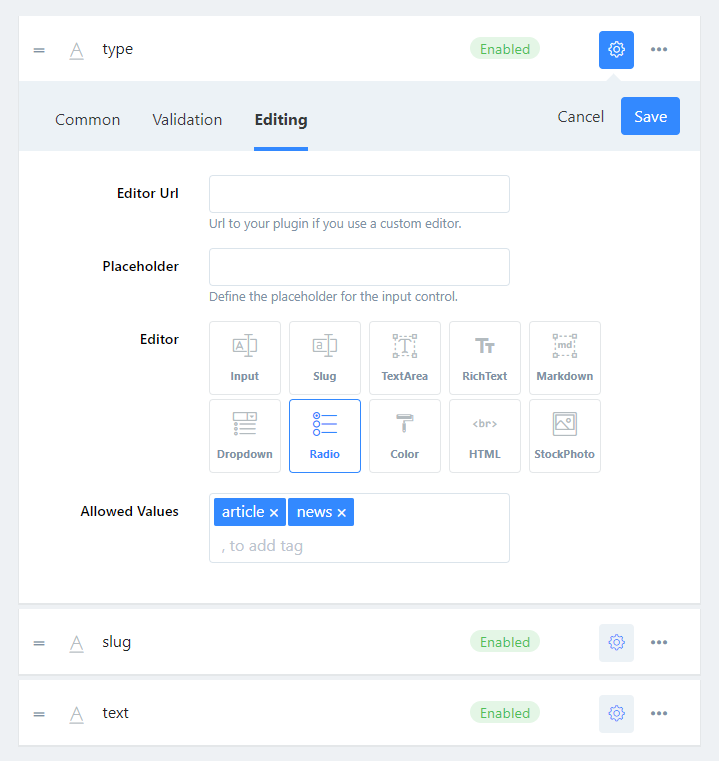 Article or News Schema
To hide the slug field we can use a field rule:
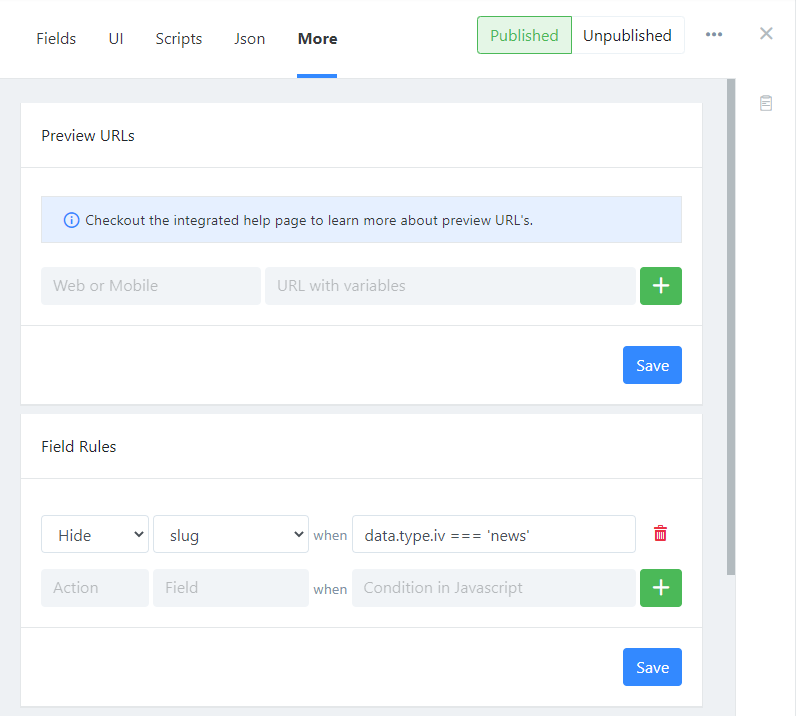 Field Rules
And this is how it looks in the content editor:
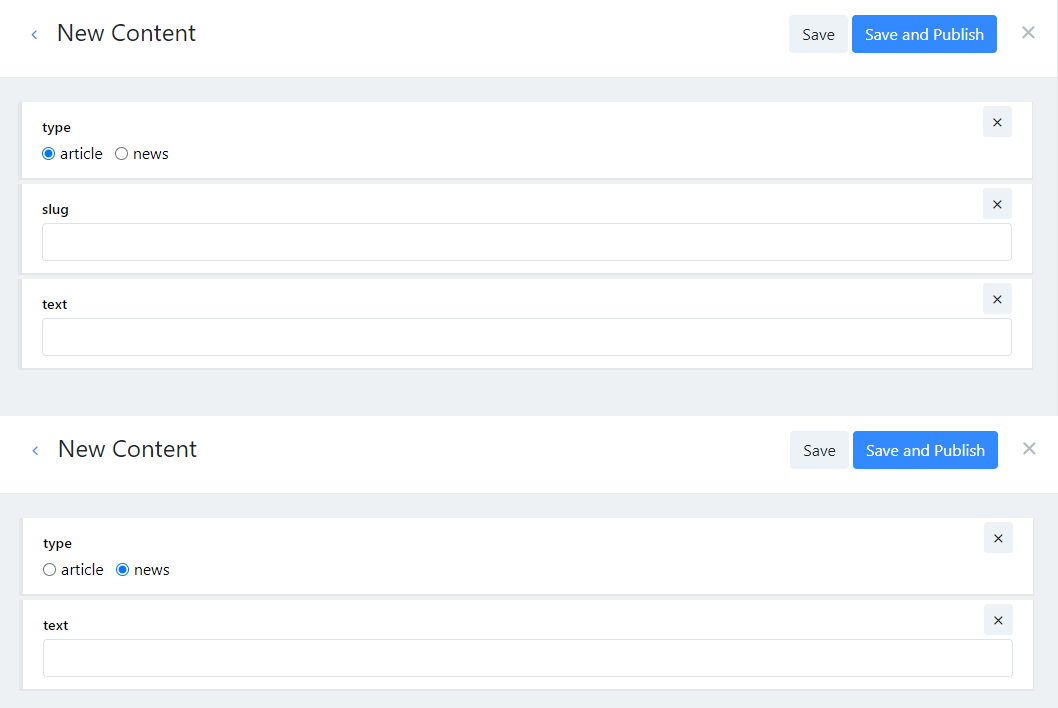 Content Editor with Field Rules